Move through time
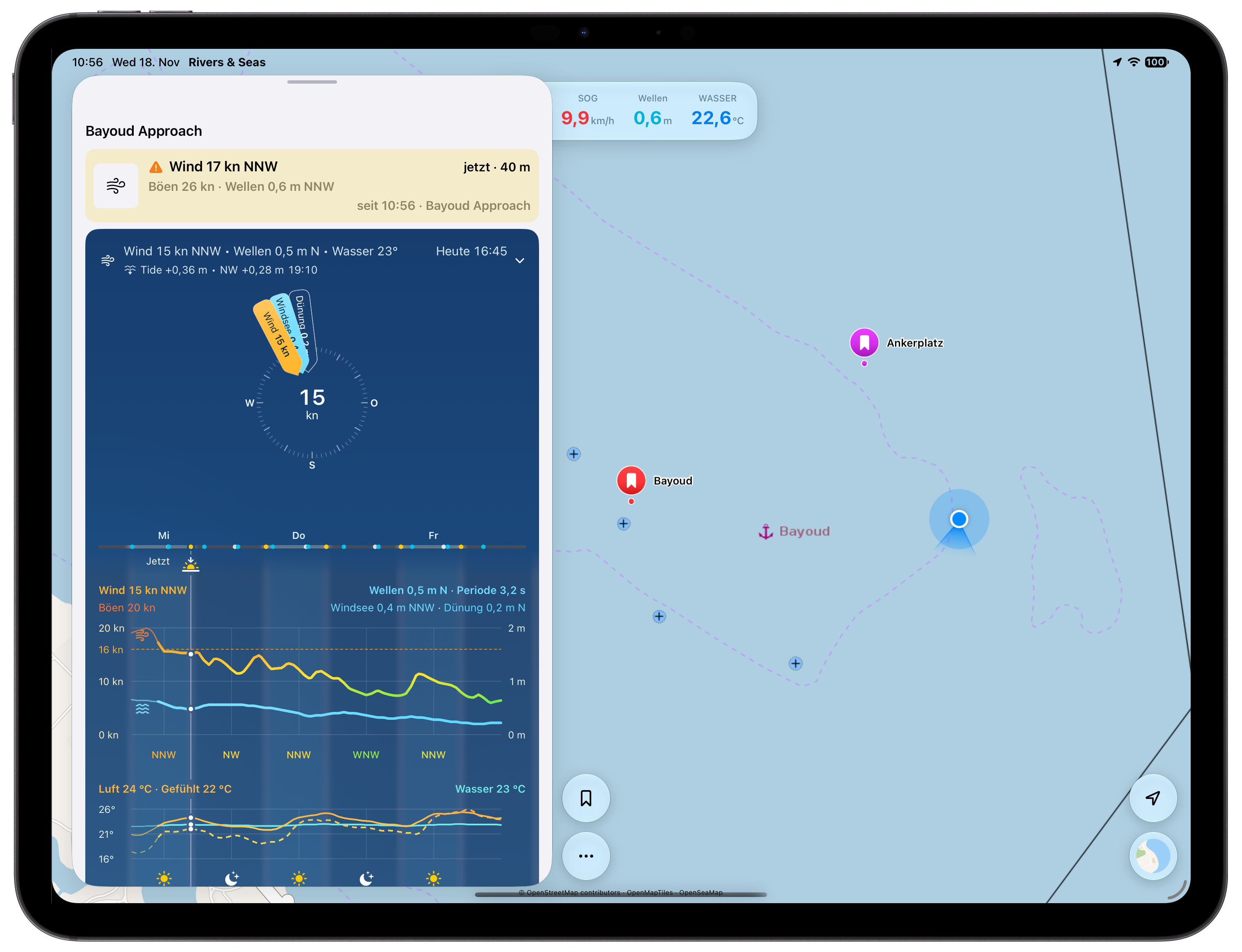
Wind, gusts, waves, temperature, precipitation and tide stay aligned to the same selected moment.

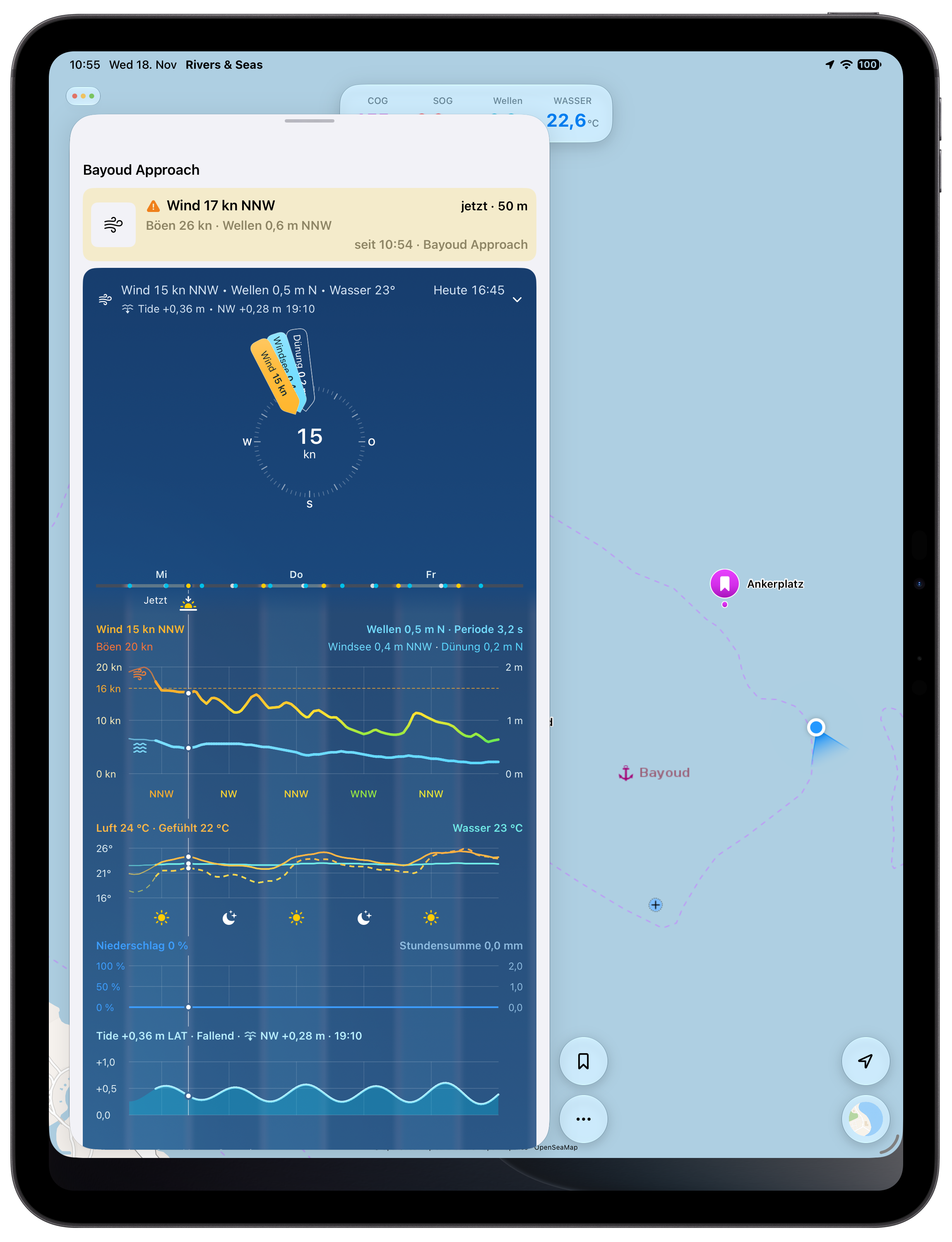
Wind, waves, rain and tides can develop differently within just a few hours. Rivers & Seas therefore shows every value for the same selected time.
Stop jumping between numbers
Move through the hourly forecast and look up to 72 hours ahead to see when wind, waves and rain ease. Pinch with two fingers to enlarge the part of the forecast that matters to your decision.
Wind, gusts, waves, temperature, precipitation and tide stay aligned to the same selected moment.
Pinch into the part of the forecast you want to inspect, or zoom out to see the longer trend.
Your personal wind limit appears directly in the forecast, making difficult periods stand out immediately.
More than one wave-height number
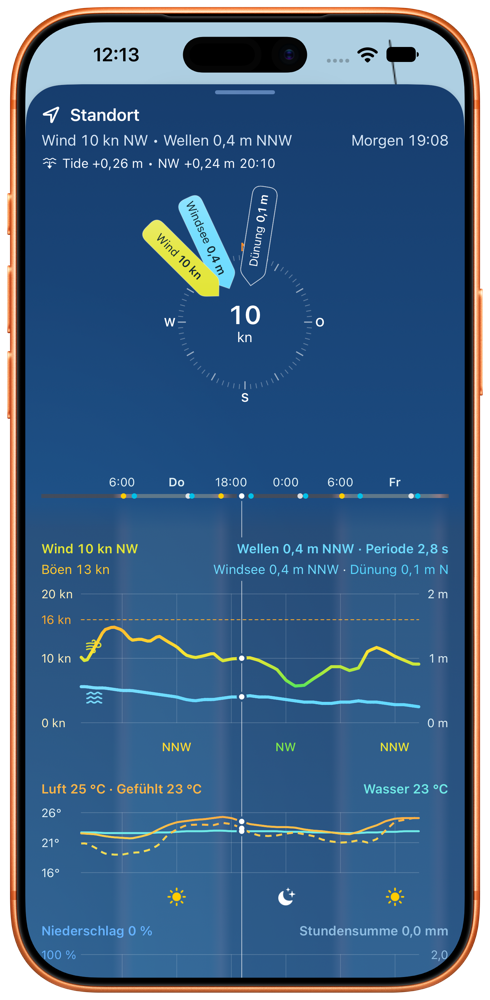
For an anchorage in a bay or off a beach, metres alone are not enough. Direction and period reveal whether waves can enter the place and whether conditions are likely to feel settled or uncomfortable.
The total wave describes the resulting sea state from wind sea and swell. It is a useful overview, but not the whole explanation.
Wind sea is generated by the local wind and is often shorter, steeper and more unsettled. It can change relatively quickly as the wind turns or eases.
Swell comes from a distant or earlier wind system. A longer swell can still enter a bay or reach a beach after the local wind has already eased.
Your experience matters
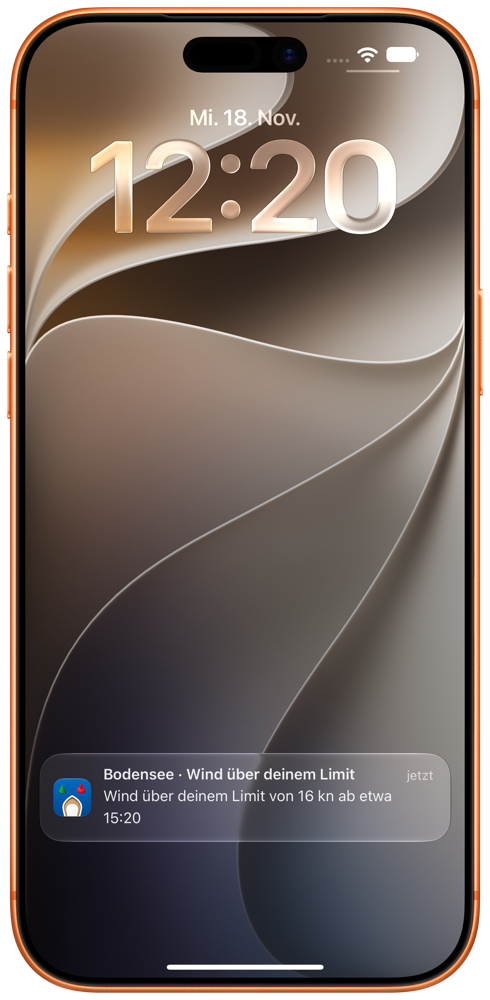
Choose the wind speed you are comfortable with in your profile. Rivers & Seas draws that limit on the forecast and can notify you when wind is expected to exceed it.
One glance before the first coffee
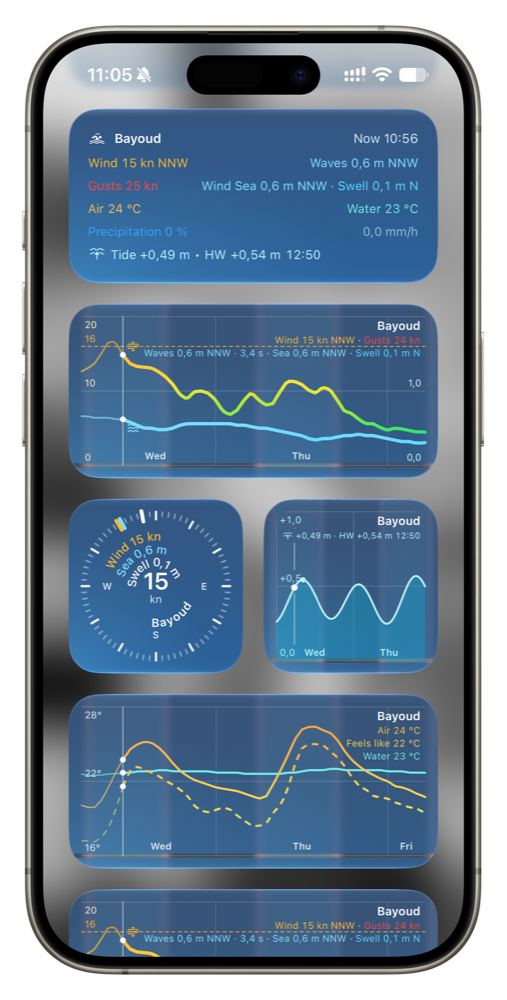
Choose a wind and wave rose, compact conditions summary, wind and wave trend, or tide and water-level view. Home Screen and Lock Screen widgets show them for your weather place without opening the app.
Weather on Apple Watch
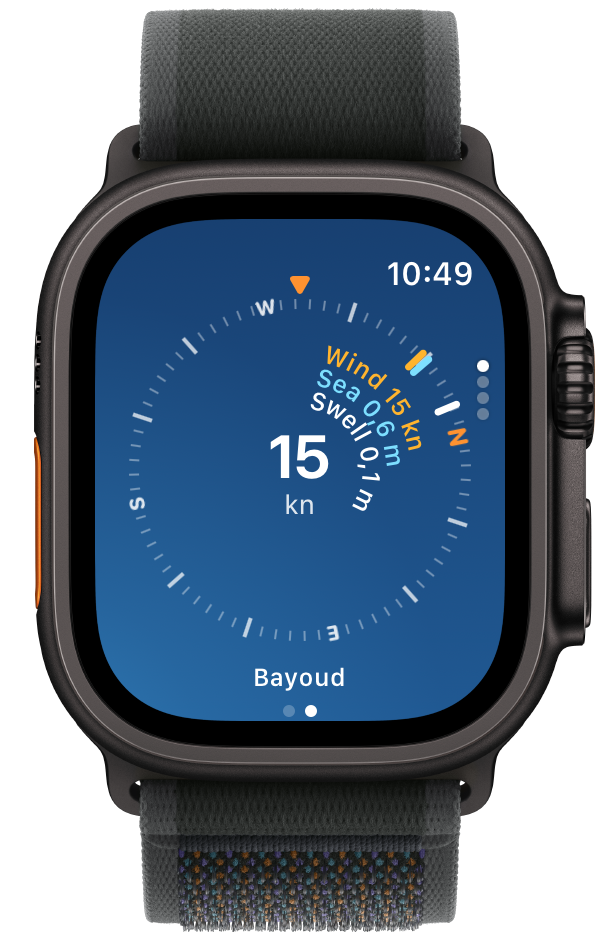
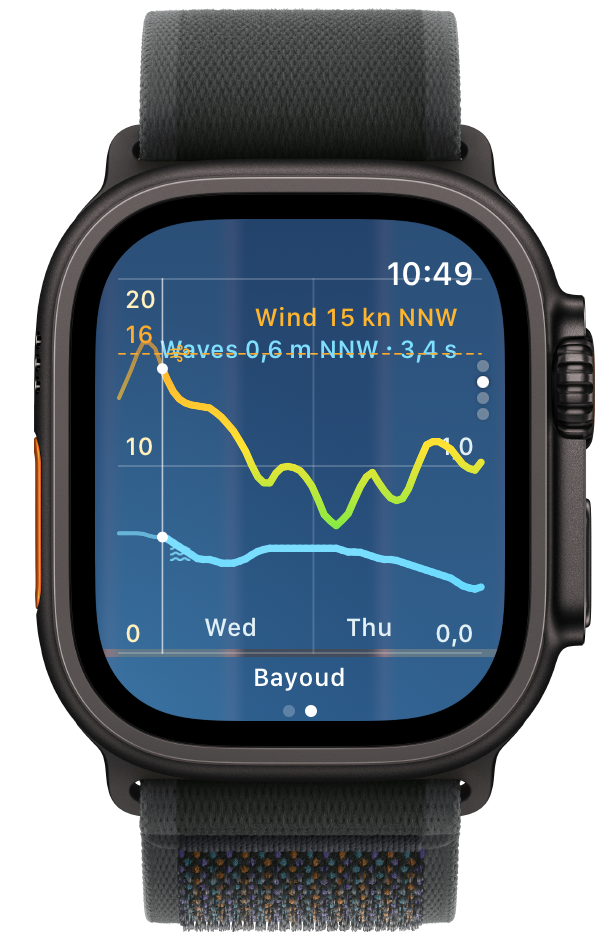
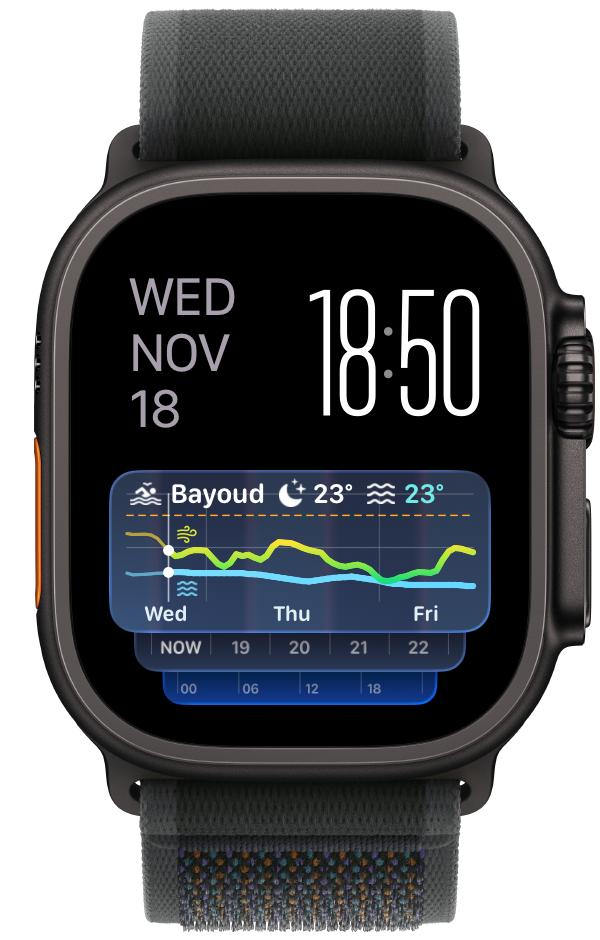
See wind, waves and the next few hours directly on Apple Watch – as a wind rose, forecast trend or in the Smart Stack.
Your place, not a distant coastal town
Make a bookmark your weather place. The app and widgets then show conditions there even while you are still at home. Remove the weather place and the displays return to your current position.
At sea and on inland waters
Alongside wind, gusts, rain and air temperature, you can see wave height, direction, wind sea, swell, period, sea temperature and tides where those data are available.
Wind, gusts, rain and temperatures take priority. Water level and water temperature appear where reliable observations or forecasts are available.
StandBy aboard
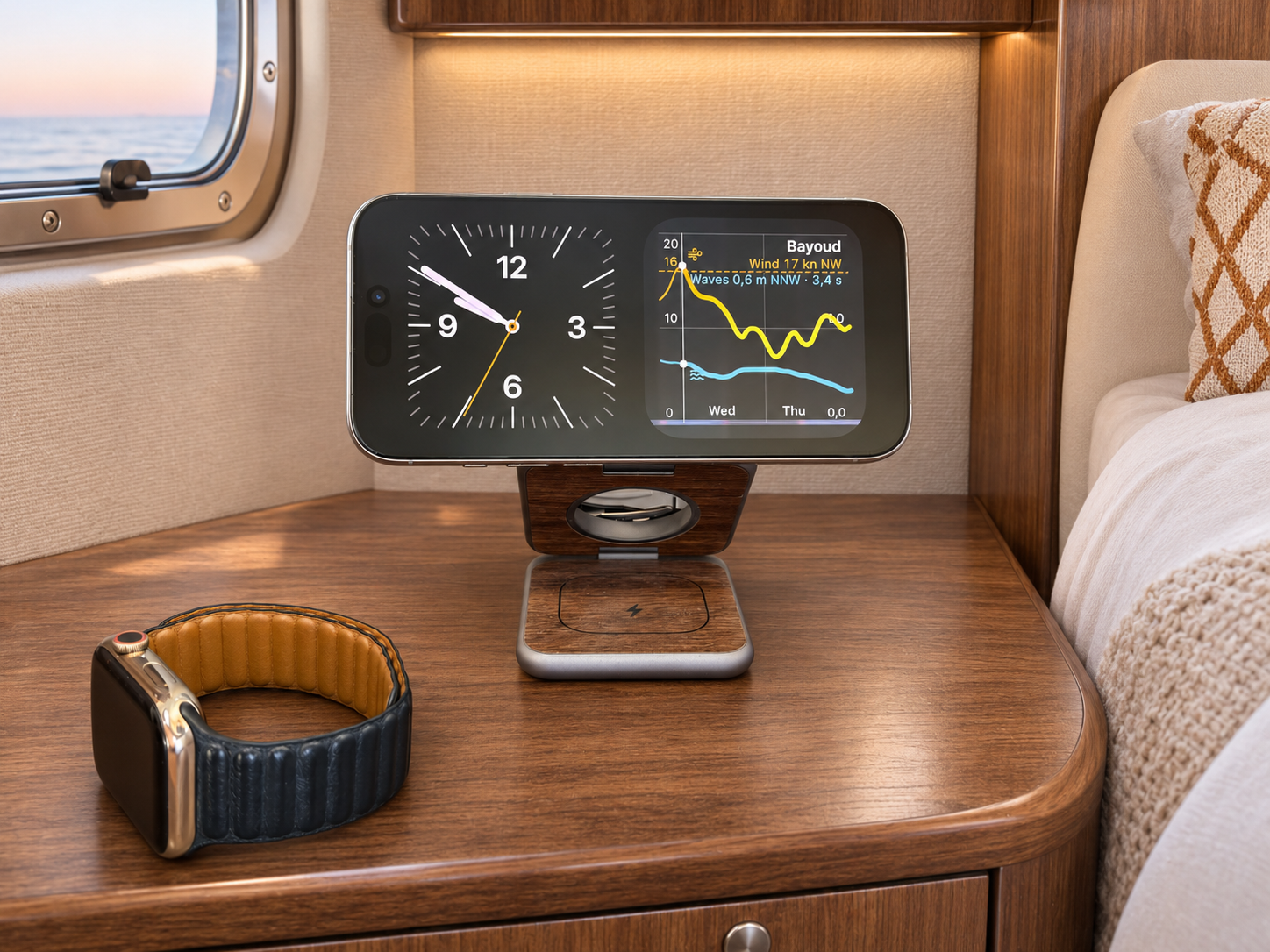
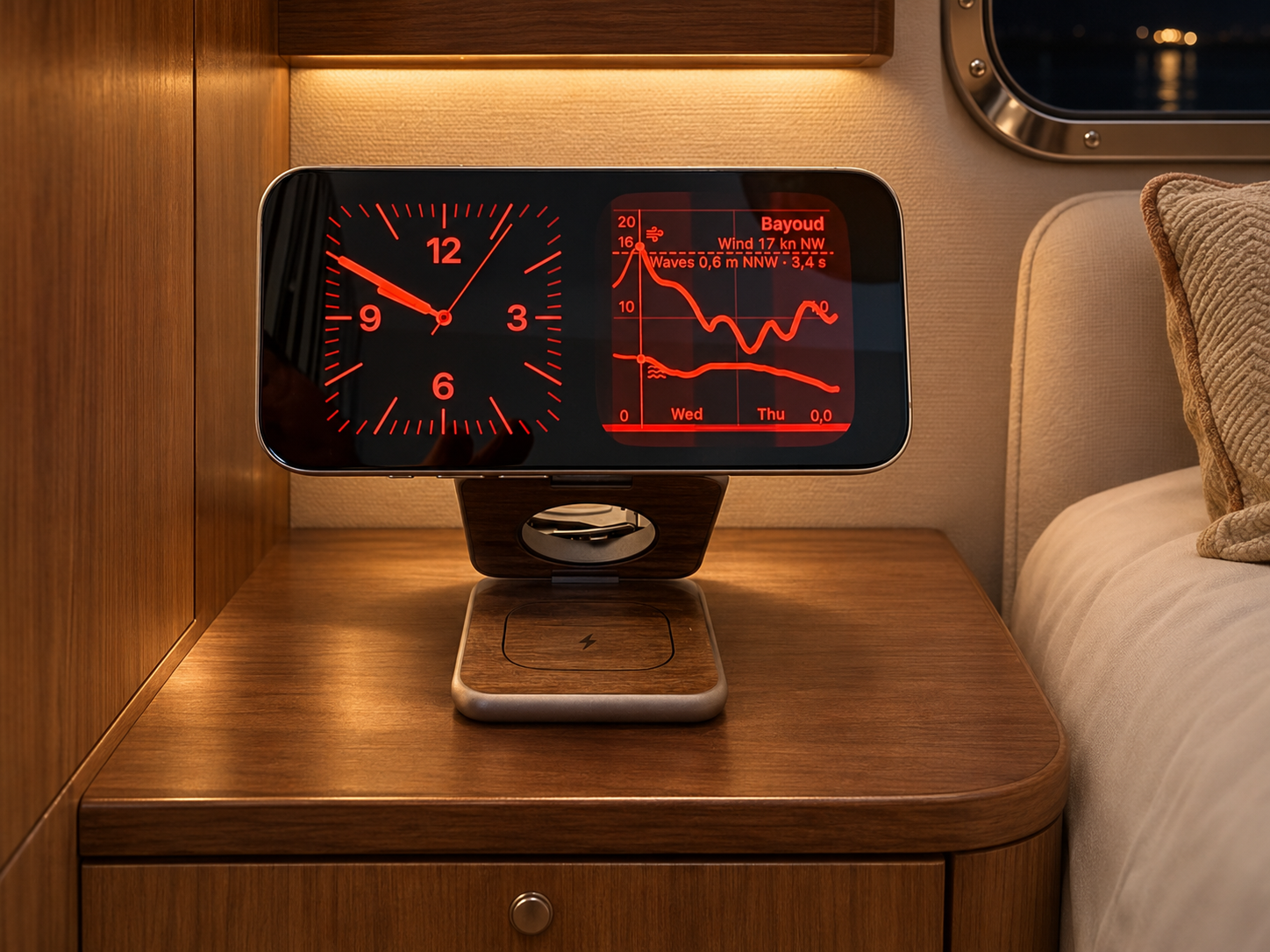
Place iPhone on its side on a charger and let Rivers & Seas show the wind and wave trend next to the clock. In low light, Apple’s StandBy turns red and unobtrusive. One glance is enough in the morning, while the cabin stays dark at night.
Before the next line comes off
Install Rivers & Seas, set your wind limit and see the next hours in the app, widgets and StandBy.