

Arrive a few minutes earlier—instead of waiting much longer
A commercial vessel is heading towards the lock. Arrive a few minutes too late, and the gates may close before you, leaving you to wait for the next lockage.
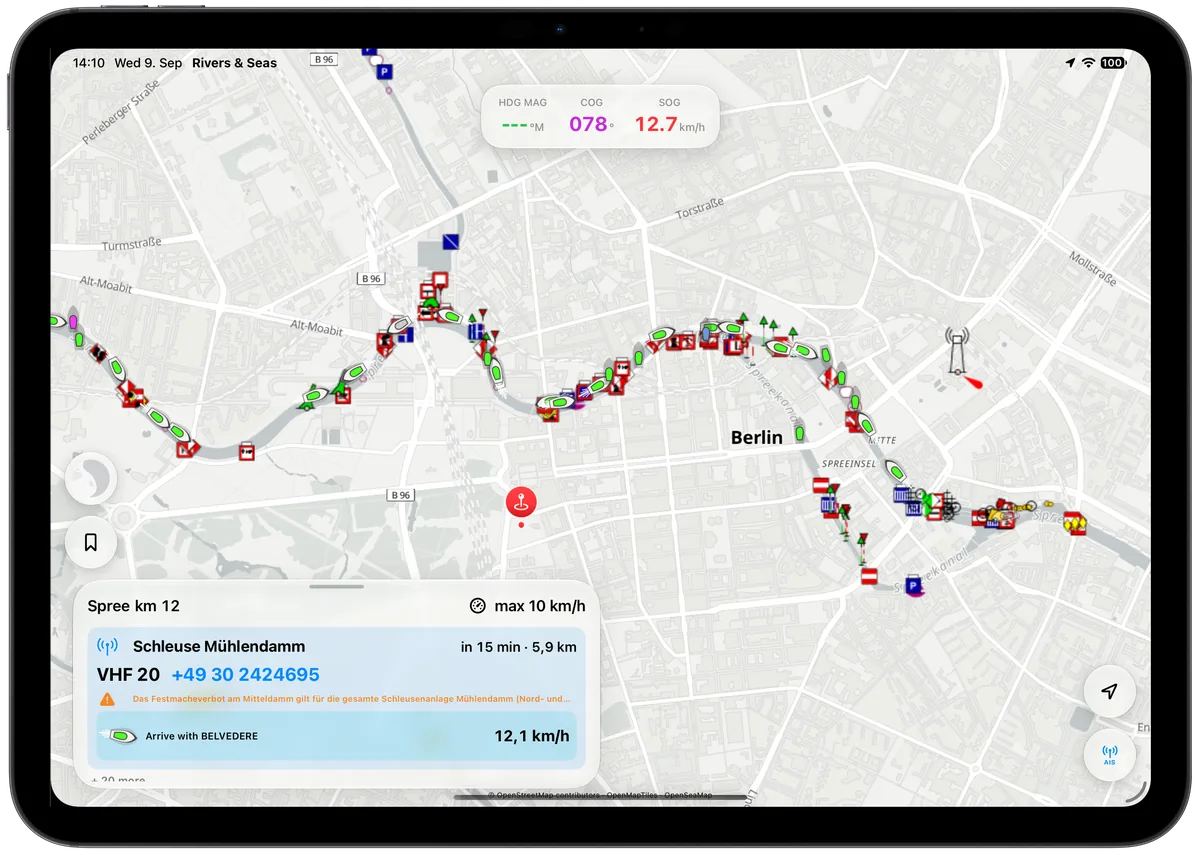
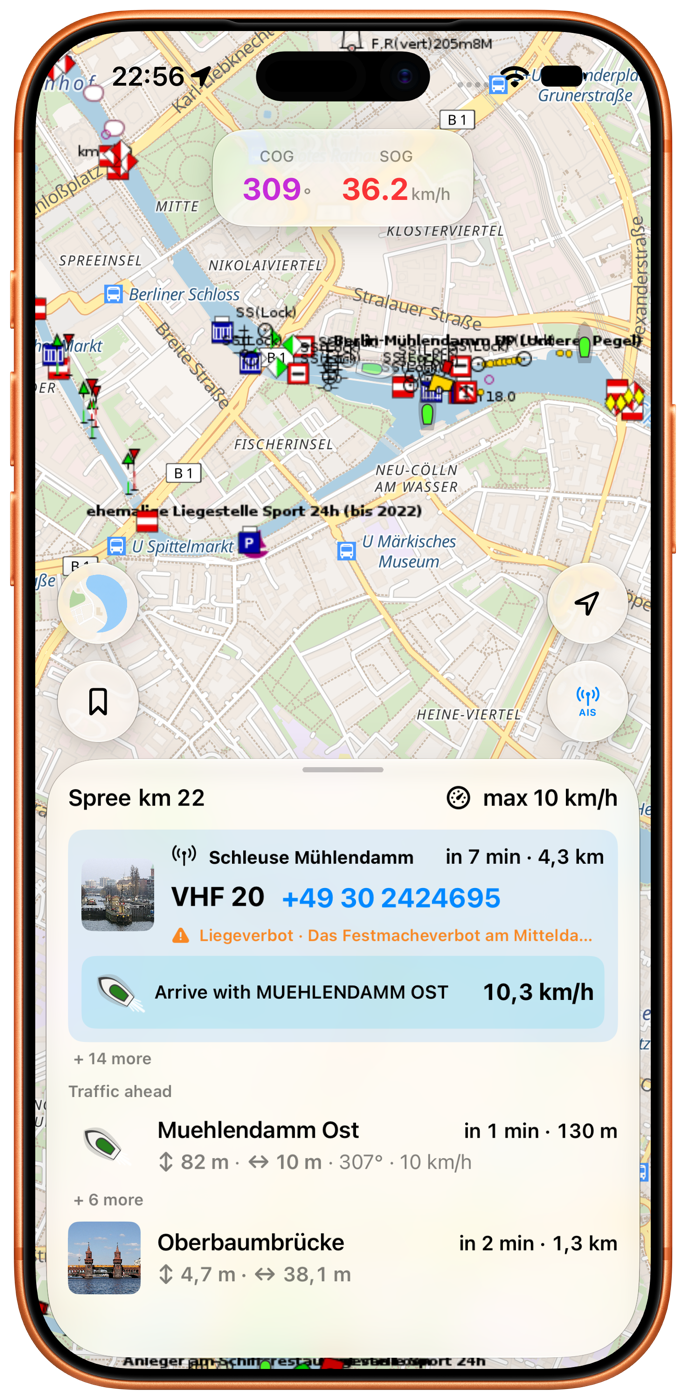
Rivers & Seas identifies a suitable situation ahead and removes the need to calculate arrival times in your head. At the lock, you see which vessel is involved and the speed at which a shared arrival would currently be possible.
Vessel, lock, and speed appear together
The compact view may show “Arrive with MUEHLENDAMM OST” and 10.3 km/h beside it. The lock's distance and expected arrival remain visible at the same time.
Pull Waterway Ahead farther up to see the opportunity in the context of traffic, bridges, and notices farther ahead.
How the speed suggestion is calculated
Rivers & Seas matches a commercial vessel ahead to your actual waterway. When both you and the vessel are heading towards the same next lock, the app compares your estimated arrivals.
The displayed speed is the calculated matching pace for arriving at about the same time. When your speed changes or new AIS data arrives, the situation is assessed again. The suggestion appears only when vessel, lock, and arrival reliably fit together.
See contact details and operating hours at the same time
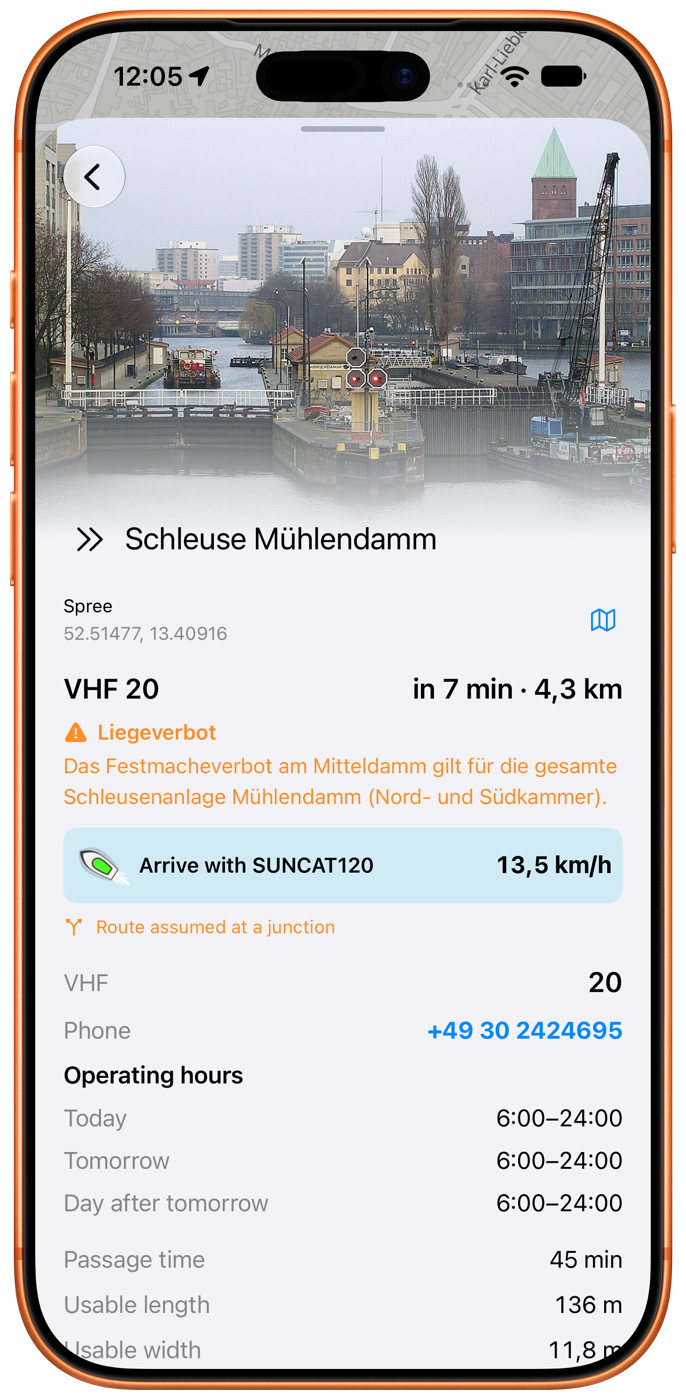
Tap the lock when you need more. Rivers & Seas shows available operating hours, VHF channel, phone number, photograph, and dimensions alongside the arrival suggestion.
You can contact the lock by radio or phone in good time without searching for the details in a second source.
The opportunity can reach you while the iPhone is locked
The map does not need to remain open. When a background check finds a suitable shared arrival, a notification can show the required speed.
Allow notifications and set location access to Always. iOS decides when to permit a background check, so the notification is a snapshot rather than a continuously updating display.
You decide whether the speed suits the situation
The suggestion helps you recognise a possible shared arrival early. It is not a promise of a lockage. Travel only as fast as the speed limit, traffic, visibility, and your boat allow.
Whether you are actually included depends on the situation and the lock staff. Keep sufficient distance from the commercial vessel and follow radio traffic and signals.