

The holiday ends. Your favourite places remain.
On a great day on the water, few people stop to save every anchorage, restaurant, and view as a bookmark. Taking photos, however, happens naturally.
Rivers & Seas can now turn those photos into your personal map. Select the favourites from a holiday all at once. The app recognises where they were taken, which pictures belong to the same place, and automatically creates the right bookmarks. The order in which you select them does not matter.
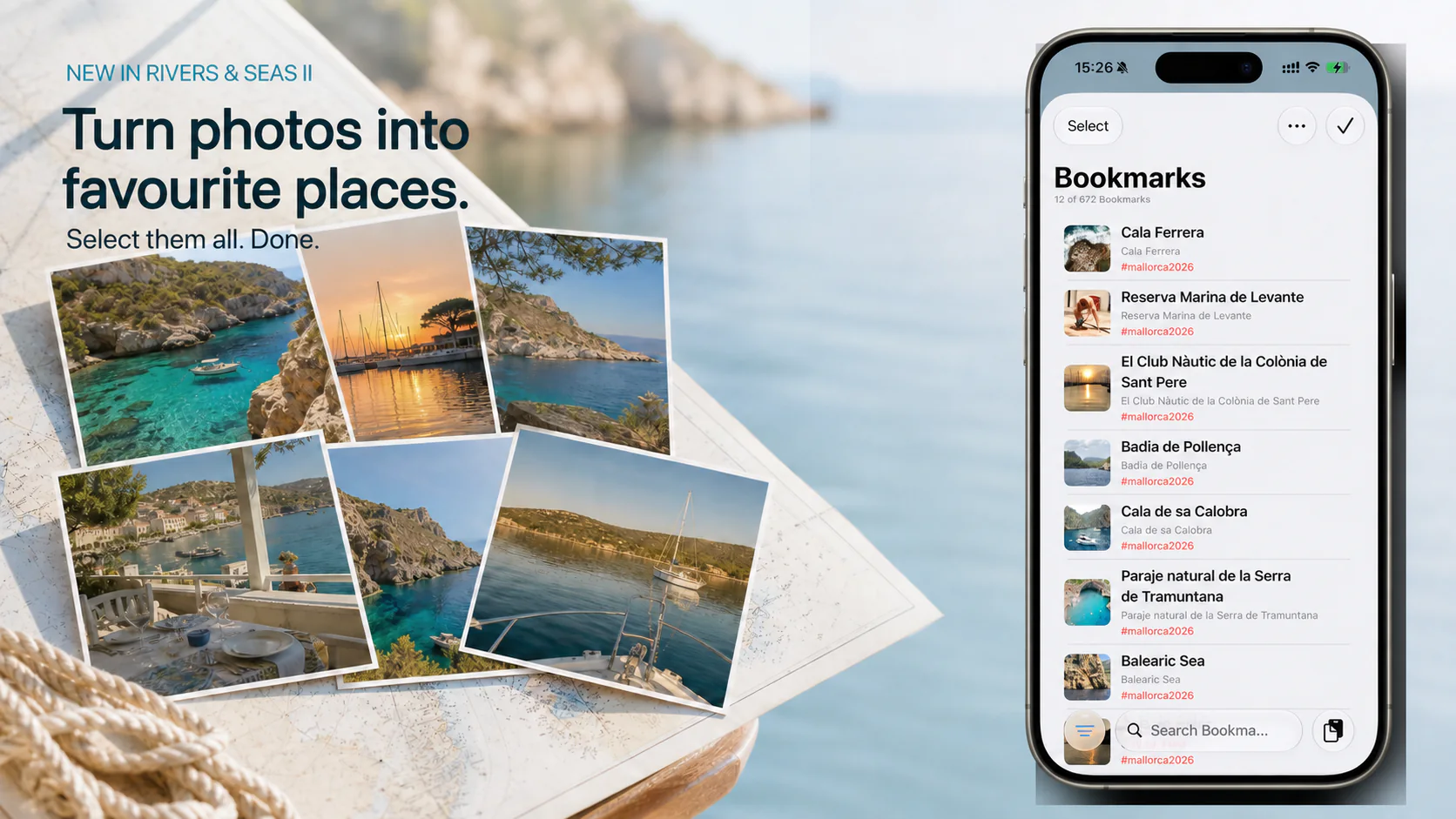
Create bookmarks from your photos
The easiest place to begin is the Bookmarks menu.
- Open Bookmarks in Rivers & Seas.
- Tap the circle with three dots at the top right and choose “New from Photos”.
- Select every photo whose place you want to find again. Choose them together, in any order.
- Confirm your selection. Rivers & Seas does the rest.
A moment later, the recognised places appear as bookmarks on your map, each with its matching photos.
What Rivers & Seas does for you
Rivers & Seas uses the location stored in a photo. It also compares the pictures and recognises related scenes. Several shots of the same cove, marina, or sight can therefore become one bookmark together.
For every recognised place, Rivers & Seas positions the marker on the map, includes up to five suitable photos, and adds a place name from the map. Your original photos in the photo library remain unchanged.
The result is not another long, unsorted photo collection. It is a map of your own experiences: the quiet anchorage, the waterside restaurant, the memorable view, or the harbour you would love to visit again.
A quick check, then your map is ready
Open the new bookmarks briefly and check their names and positions. With older photos or an imprecise recorded location, simply move the marker to the right place on the map.
Add a note or a tag such as #anchorage, #restaurant, or #holiday2026 if useful. Later, you can show exactly the places you need.
Lock particularly important bookmarks to protect them from accidental moves, edits, or deletion.
Good to know: the photo location matters
The most reliable results come from original photos that contain the location recorded by the iPhone. This is normally included automatically when the Camera app has permission to use your location.
If individual photos have no recorded location, Rivers & Seas can group them with a suitable place from the same selection. The app cannot identify the geographic location of a landmark from its appearance alone. If none of the photos contains a location, the bookmark is created at your current position. A quick look at the map afterwards is therefore worthwhile.