

Open the Track and set its direction
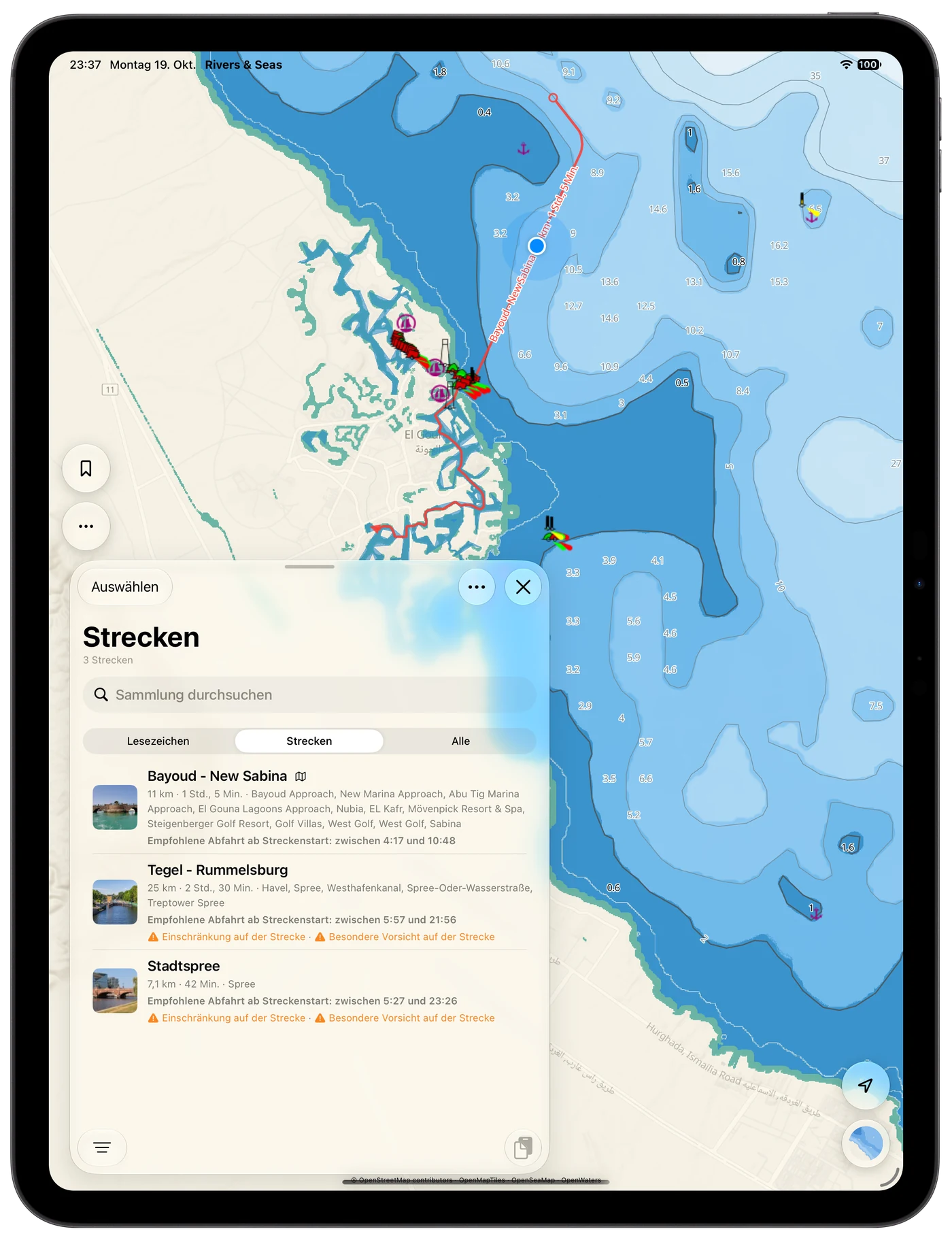
Open your collection, switch to Tracks, and tap the journey. Check its direction first. Bridges, locks, and notices will then appear in the order in which you will actually reach them.
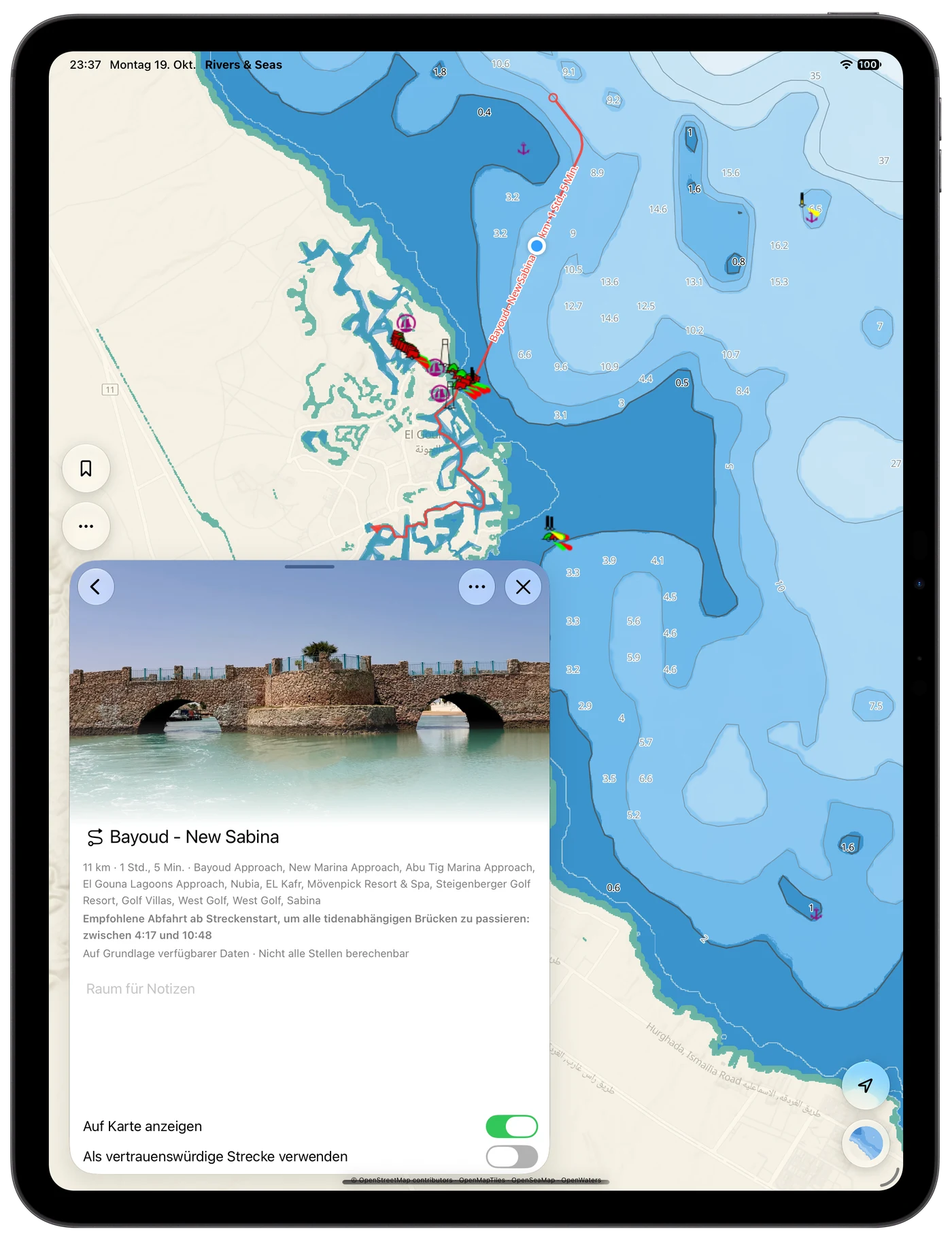
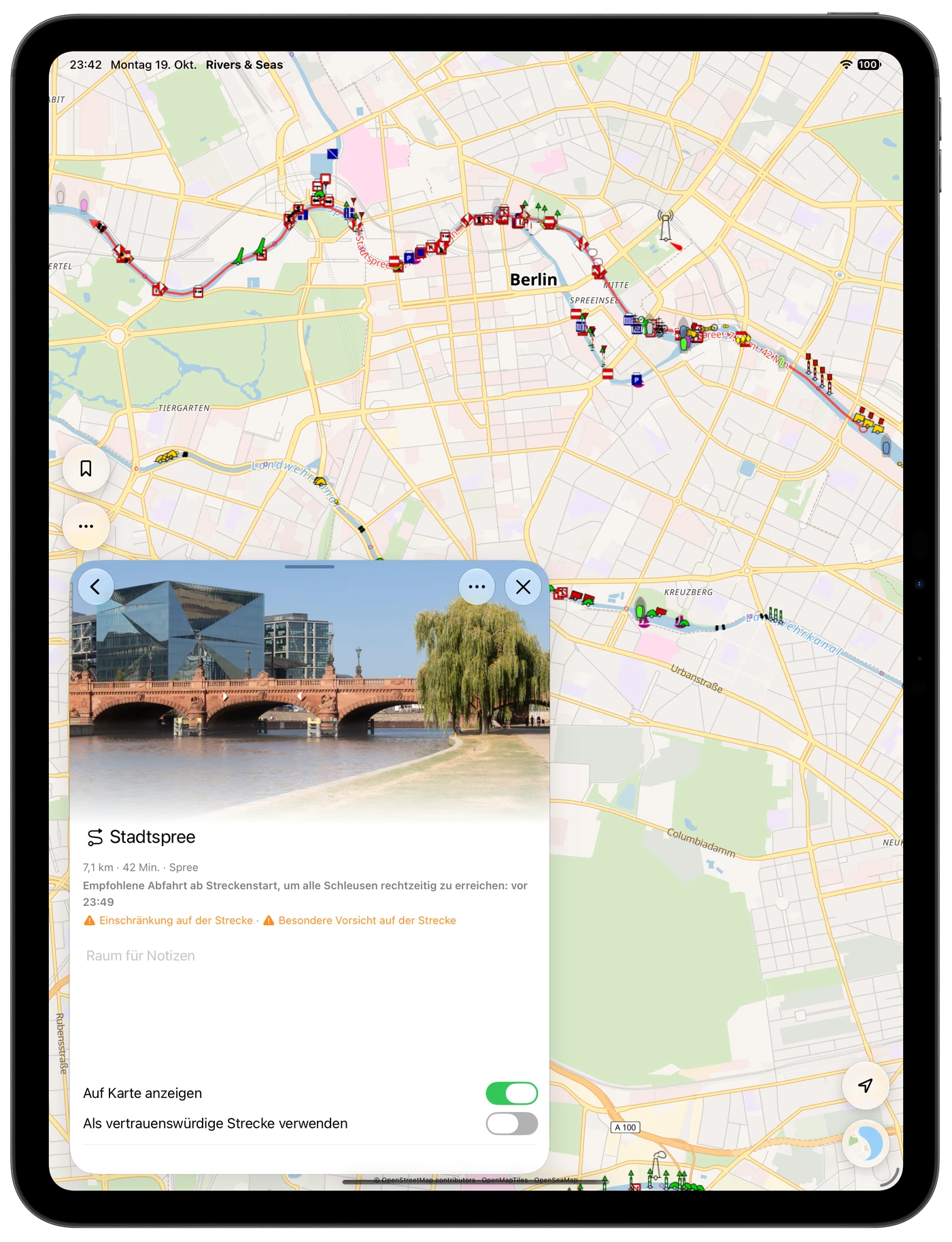
The Track header shows distance, pure cruising time, additional lock time, and waterway names. When the available data supports a combined recommendation, it also tells you when to leave.
One recommendation instead of calculating every place yourself
Rivers & Seas calculates when you are expected to reach the known places. Arrival at a lock already includes the duration of earlier lockages; its own duration is included for every place after it. A bridge may only fit at lower water, a lock may close later, and another place may not work again until afterwards. The combined recommendation looks for the period in which these available conditions fit together.
It may therefore say “before 10:30”, “after 14:00”, or “between 08:00 and 09:45”. When not every place can be calculated, that limitation appears directly with the recommendation.
At gauge-dependent bridges, clearance at arrival is what matters
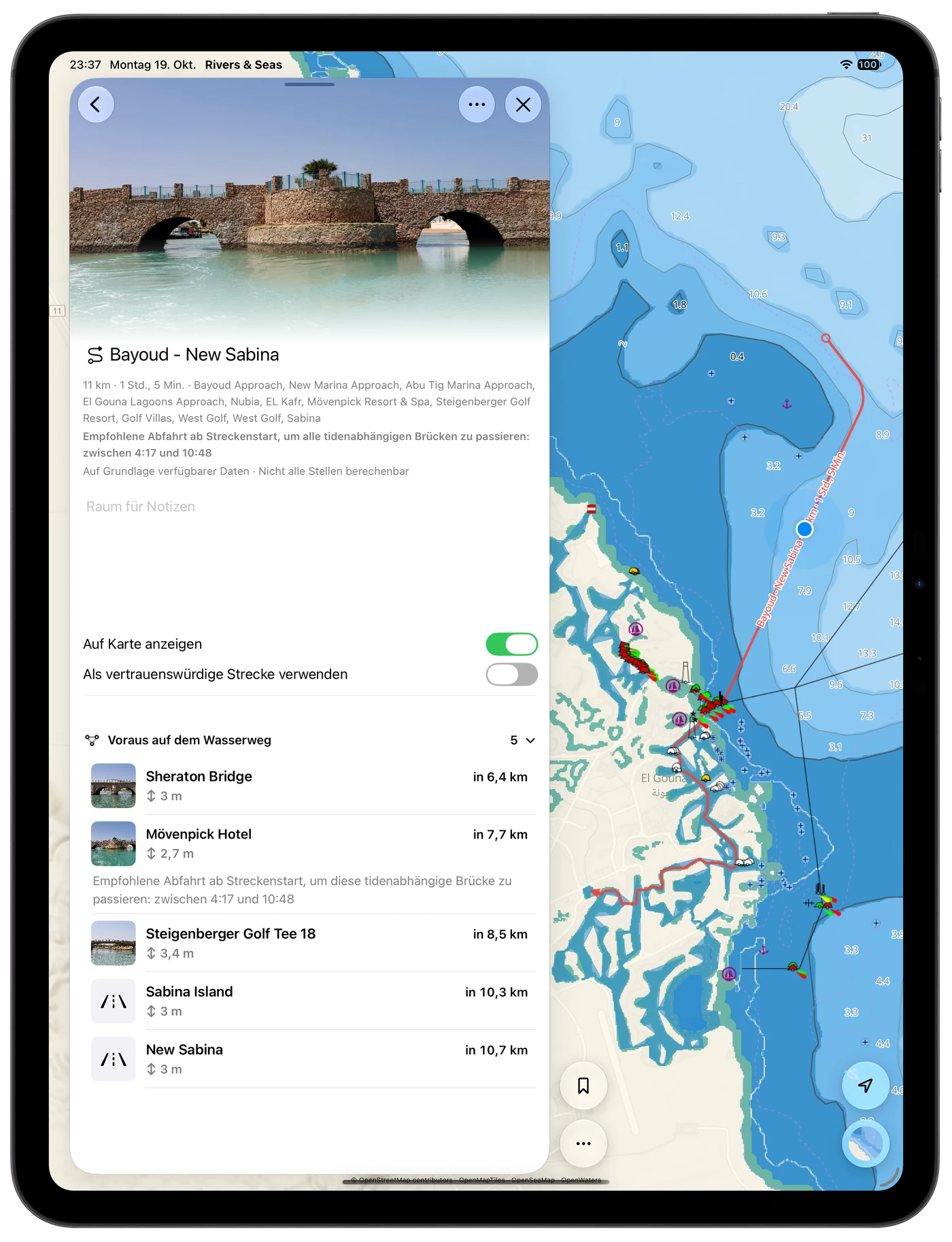
On inland waterways, the gauge level changes the clearance that actually remains. Rivers & Seas relates the water level to your expected arrival and shows the height that will matter for your boat. This is especially useful on Berlin-Brandenburg's Spree, Havel, and canals, as well as the Danube and Elbe.
The same principle applies at tidal bridges. With your boat height stored in the profile, you can more easily judge whether the passage works at that time. Waterway Ahead lists bridges in order and gives affected places their own departure advice.
Reach locks while they are open
At locks, Rivers & Seas compares expected arrival with available opening times. You can see early whether to set off before closing or whether a later departure makes more sense.
Open a lock from the list for available operating hours, dimensions, phone number, and notices. Rivers & Seas uses the stored lock duration, or 30 minutes when none is available. This is added to pure cruising time and shifts arrival at later places; unpredictable queues before the lock remain outside the calculation.
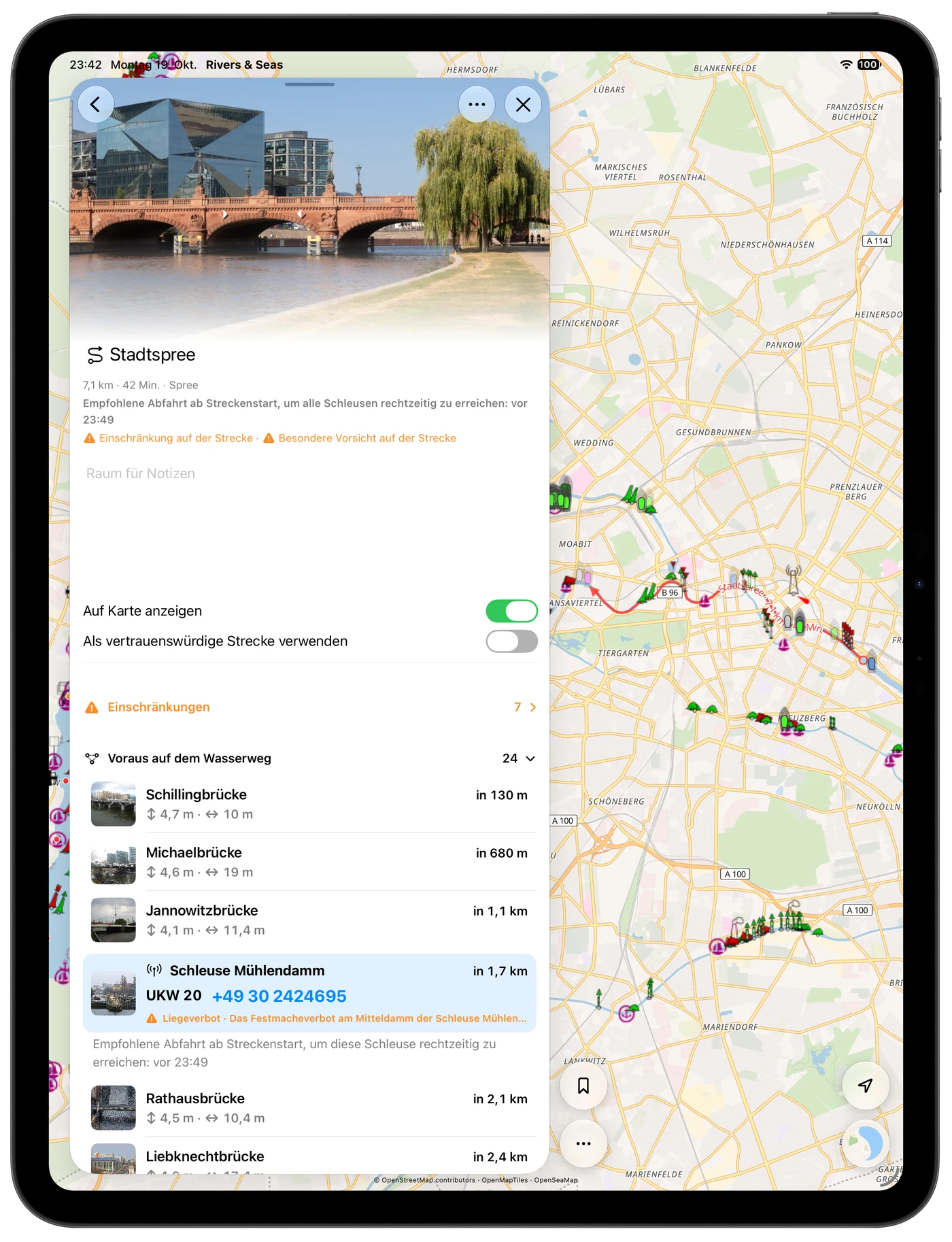
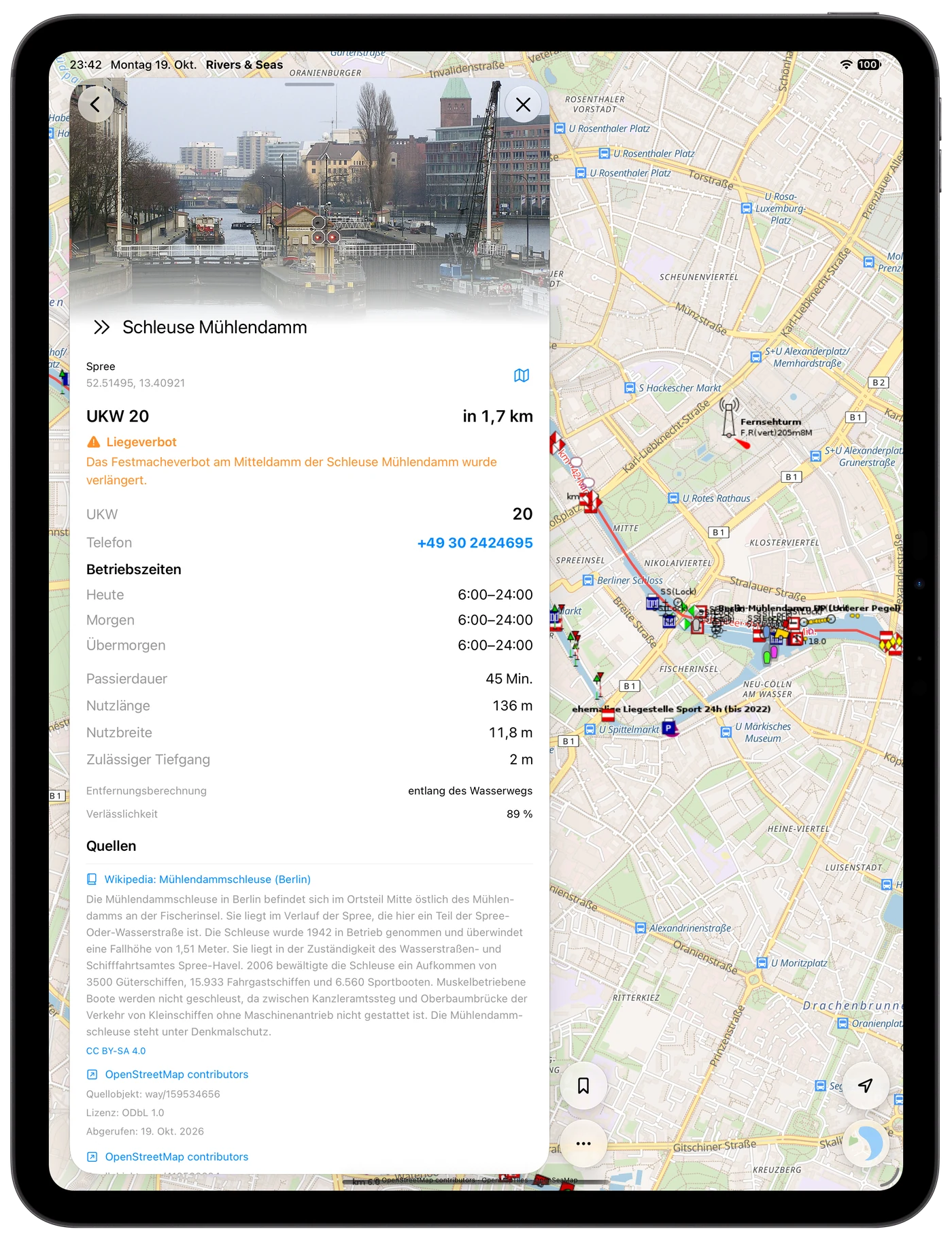
Recognise waterways and restrictions early
The Track overview already names the waterways. Warnings indicate when available closures, restrictions, or special care affect the journey.
Open the details before setting off. You can review a difficult place calmly instead of discovering it for the first time underway.
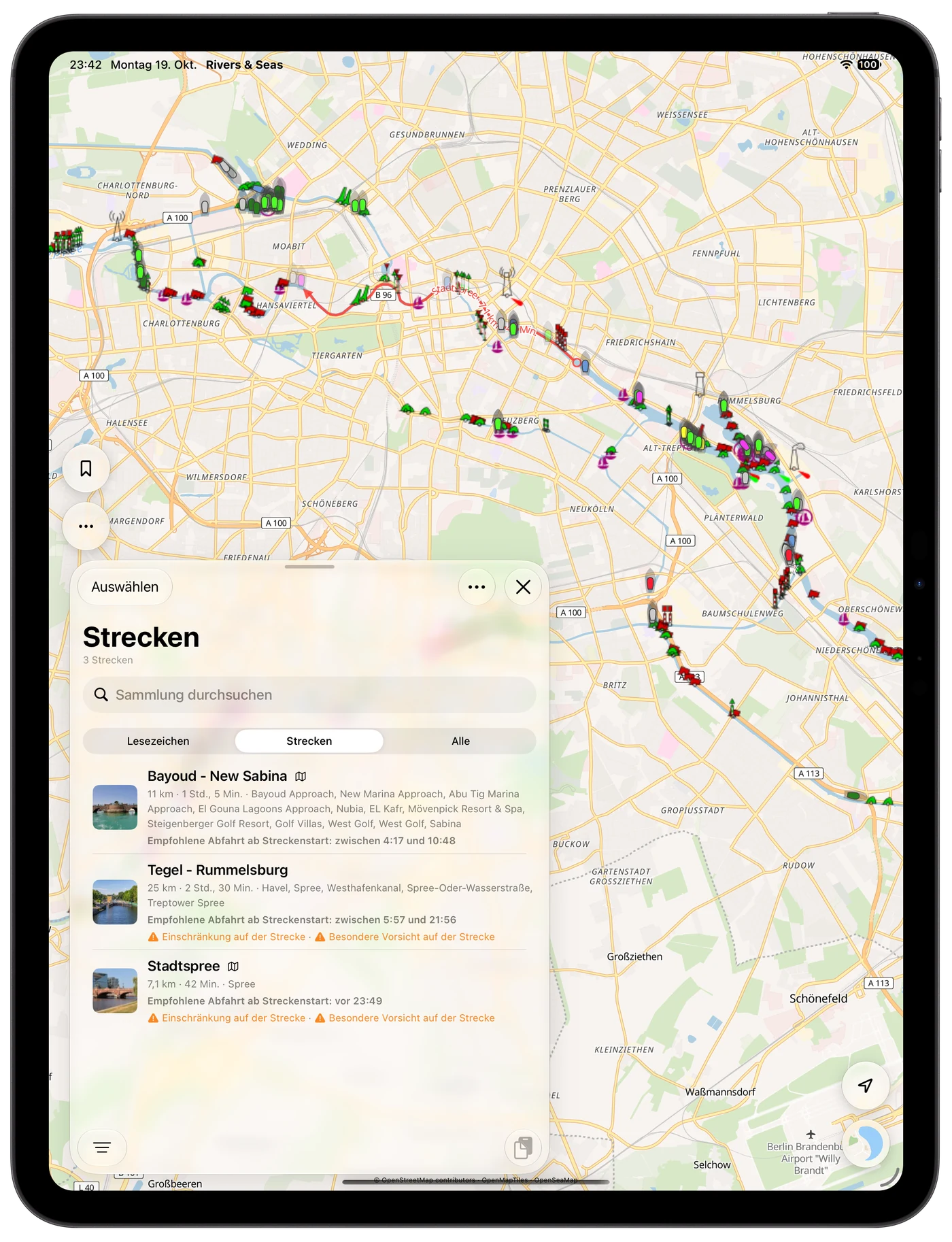
Plan from the Track start at home—or from your position underway
When planning farther away from the Track, Rivers & Seas calculates from the saved Track start. This is useful at home or on the evening before the journey.
When you are on or near the Track, the calculation begins at your current position. The direct distance to the entry point is included, but it is not a calculated navigable approach route.
What the recommendation is based on
The recommendation is a planning aid based on available data and predictions. Missing information does not confirm that a place is passable. Continue to check current signs, official notices, local rules, and the actual situation.
- Pure cruising time is calculated with the stored or learned cruising speed.
- Lock time is added separately, using the stored duration or 30 minutes per lock. Unpredictable queues, personal stops, and breaks are not included.
- The planning horizon extends up to 24 hours and may end earlier with the available tide prediction.
- Partially calculable recommendations are marked accordingly.
Import a Track or look ahead automatically underway
You can import a Track as GPX, GeoJSON, or RNSP. During the actual journey, Waterway Ahead remains active independently and follows the waterway you really take.