

What you can do
Rivers & Seas gives you a particularly visual way to control your autopilot directly on the map. You can still operate it from the chartplotter, pilot instrument, or remote control as before.
The selected course appears on the map as a red PLT TRUE arrow. If you change Auto, Standby, or the course on another device, Rivers & Seas follows that change. You can then continue from your iPhone, iPad, or Watch.
Control the autopilot on iPhone or iPad
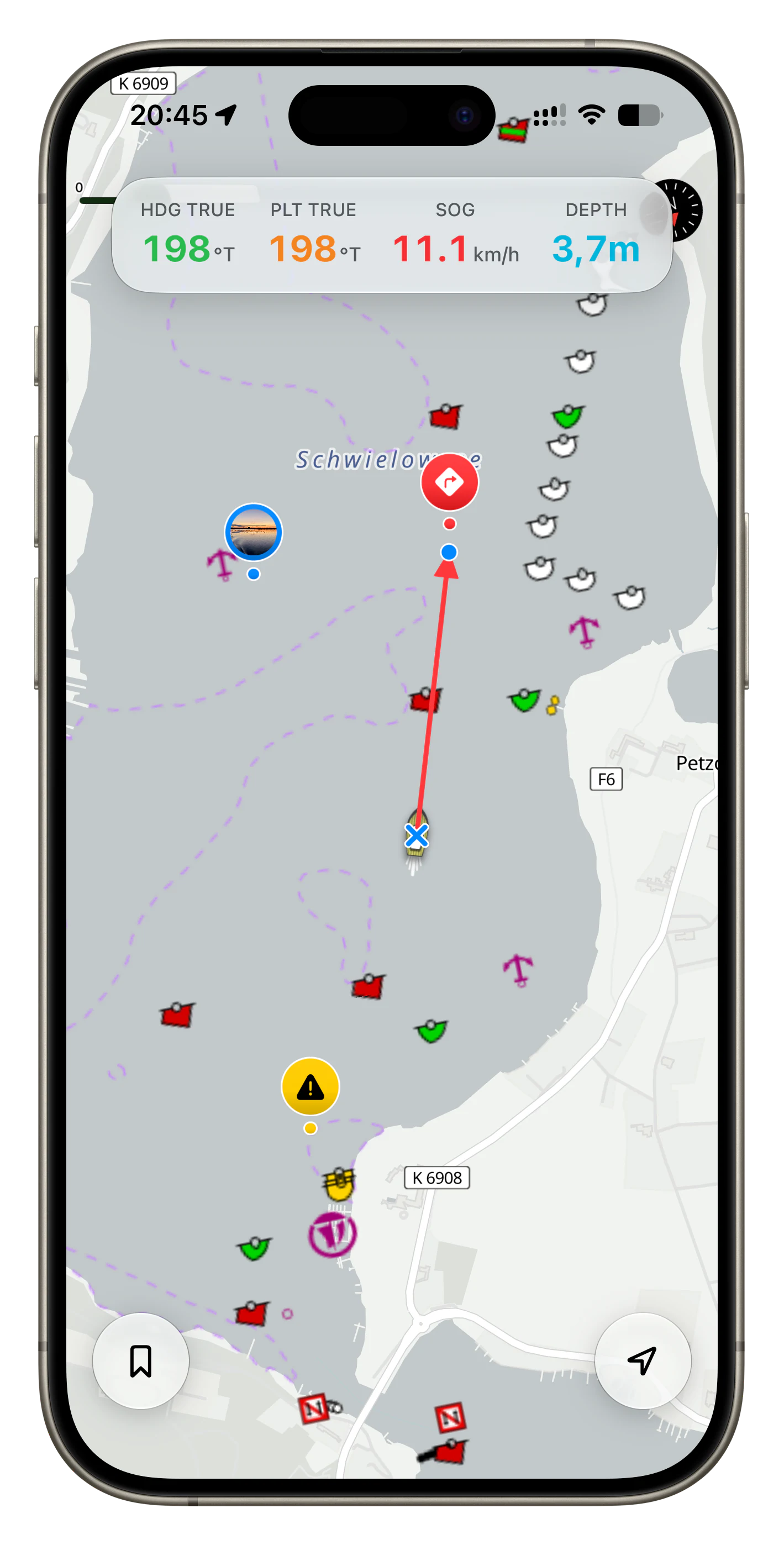
- Touch and hold the boat on the map.
- The PLT TRUE display and the red course arrow appear.
- Drag the blue handle towards the direction you want to travel. The new course is set when you release it.1
To switch to Standby, tap the × directly on the boat. The course arrow and the PLT TRUE display disappear.
Control the autopilot on Apple Watch
The Watch is useful when you are moving around on deck and do not want to keep the iPhone in your hand.
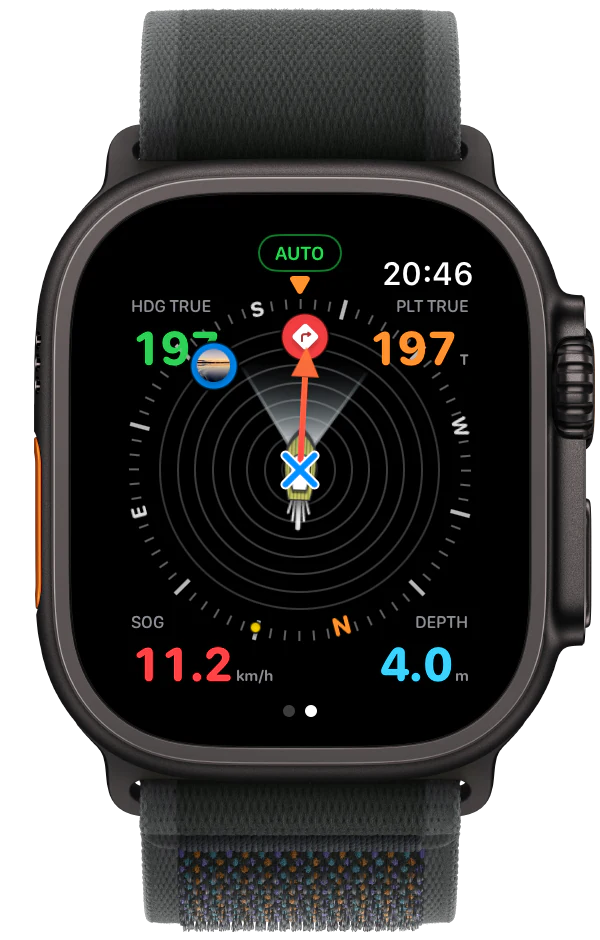
- Touch and hold the boat on the display.
- AUTO and the red course arrow appear.
- To change course, turn the Digital Crown up for starboard and down for port. PLT TRUE and the red arrow show the new course.
To switch to Standby, tap the × on the boat. STANDBY appears and the red course arrow disappears.
While the autopilot is in Standby, you can use the Digital Crown to adjust the displayed range. The compass then shows bookmarks within the selected distance.
Auto and Standby with the Action button
On an Apple Watch Ultra, you can also switch between Auto and Standby with the Action button. In the Shortcuts app, create a shortcut using the Rivers & Seas action “Toggle Autopilot”, then assign that shortcut to the Action button.
The Watch may ask for confirmation or permission the first time you run it.
What needs to be working
When the boat appears normally on the map and is not dimmed, and the dashboard shows a current HDG TRUE value, Rivers & Seas is ready to control the autopilot.
The iPhone must be connected to the Signal K server on the boat network. Rivers & Seas needs a current boat position and a current HDG TRUE value. Signal K must also recognise the autopilot and be allowed to send control commands.
If the autopilot cannot be activated
A dimmed boat means that its data is stale. If you see only the iPhone’s GPS dot instead of the boat, the Signal K server cannot be reached or is not providing a current position.
First check that the chartplotter and autopilot computer are switched on. Then check that the iPhone is connected to the boat’s Wi-Fi and Rivers & Seas is again showing current position and HDG TRUE values.
Rivers & Seas deliberately prevents activation while the boat position or HDG TRUE is stale.
You remain in command
Rivers & Seas sends your selected course to the existing autopilot. It does not automatically avoid obstacles, traffic, marks, shallow water, wind, or current.
Check every course change, keep a proper lookout, and use Standby or the boat’s normal controls immediately whenever the situation requires it.